 Zency Scan
- Open Tools
Tap Tools in the tab bar at the bottom of the app.
- Tap Remove password
It is in the Pro group — called More tools once you have Pro. Files opens straight away: pick the locked PDF.
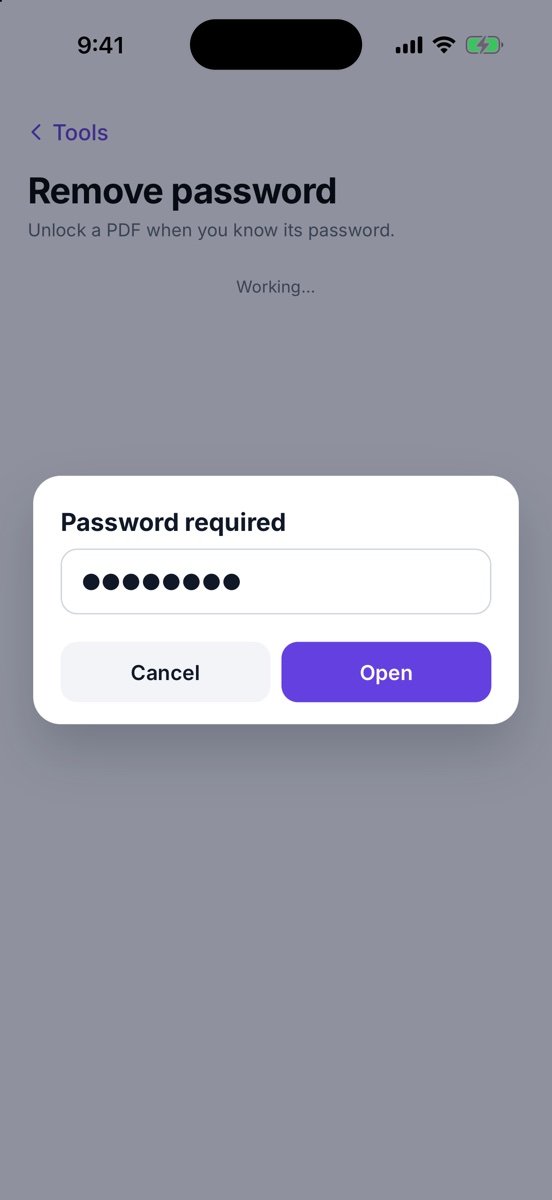
- Enter the current password
In Password required, type it and tap Open. You have three tries — this tool unlocks your own files, it does not break passwords.
- Remove it
Tap Remove password.
- Share or save the result
You see Password removed and the unlocked file. Turn on Password if the new PDF should ask for one. Tap Share to send it, or Save to Documents to keep it. The original file is never changed.
Tips
- This PDF has no password. means there is nothing to remove.
- Merge, Split, Compress and the other tools can open a locked PDF too — they ask for the password themselves.
Free or Pro? This is a Pro tool. It is included while you add your first 20 pages, so you can try it on a real document; after that it needs Lifetime Pro ($7.99 once, no subscription).