 Zency Scan
- Open the document
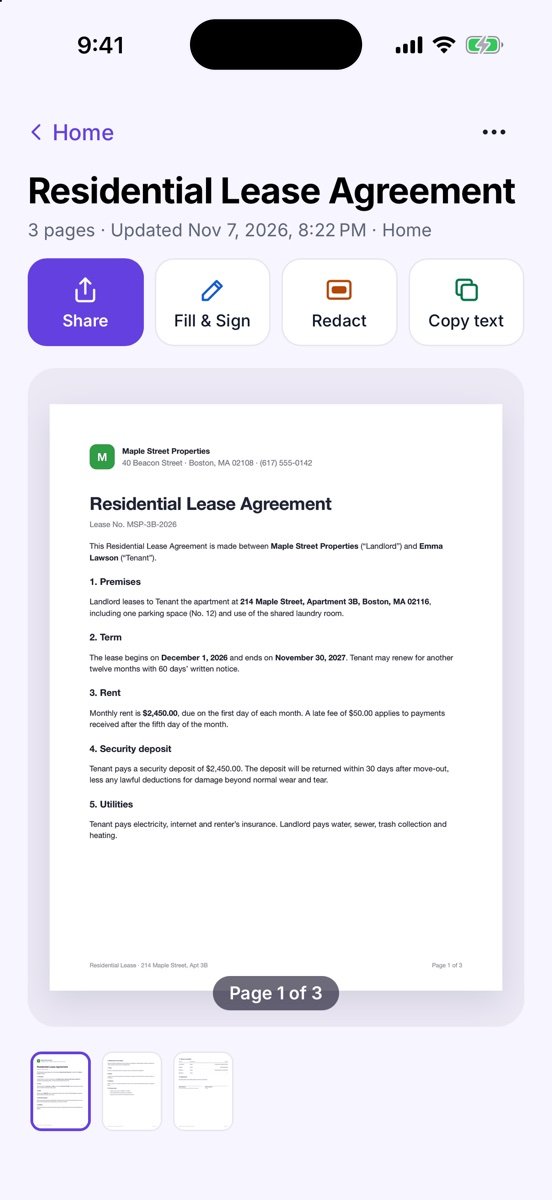
Open it from Documents or from a search result.
- Copy everything
Tap Copy text at the top. You see Copied — paste it anywhere.
- Copy a part
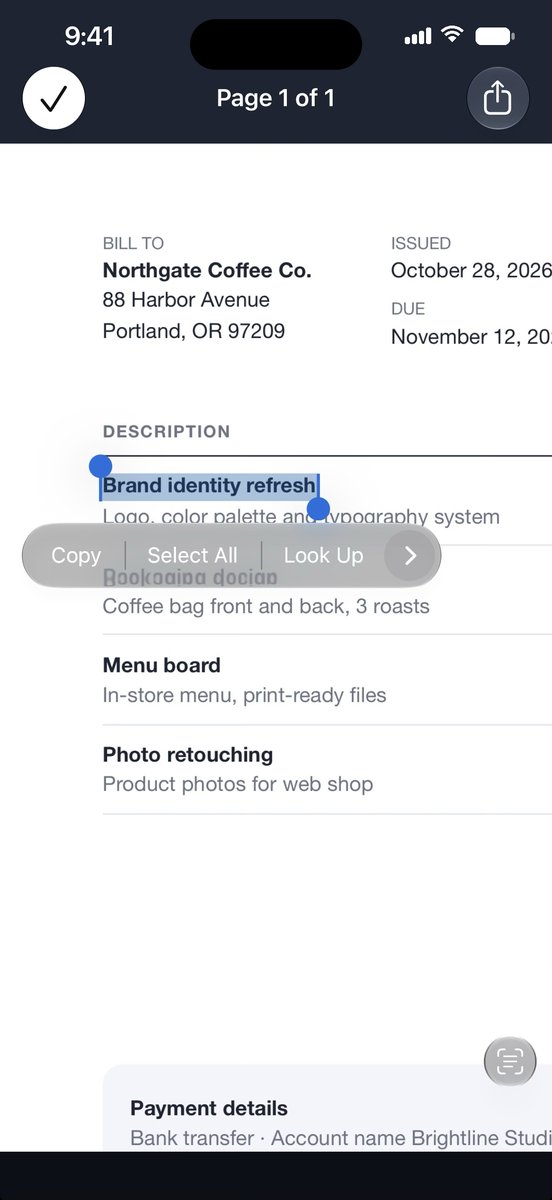
Tap the page to open it full screen, touch and hold on the text and drag the handles to select a sentence or a number.
- Tap to act
On iPhone, Live Text turns phone numbers, emails, links, addresses and dates into taps — directions, a call, a calendar event. On Android, emails, links and phone numbers are tappable, and addresses and dates where your phone supports it.
More screens
Tips
- Just need the text of a paper, without keeping a scan? Scan → Quick actions → Copy text.
- Need the whole document editable? Use Export to Word.
Free or Pro? Copying text on the pages of your first 20 pages is free forever. For pages added after that, it needs Lifetime Pro ($7.99 once, no subscription).
See it in a real situation: Students: turn whiteboards, handouts and notes into searchable PDFs.