 Zency Scan
Renting an apartment? Put your rental application together on your phone
ID, pay stubs and bank statements — what landlords usually ask for as proof of income, how to send it as one tidy PDF, and what to hide before you hit send.
Scan your ID front and back onto one page, merge your pay slips and statements into a single PDF in the order the landlord asked for, black out account numbers you don't need to share, and export it under the portal's size limit. Sign the lease the same way when it arrives.
What landlords usually ask for
Every agency has its own list, but most rental applications come down to the same handful of papers. Gather them before you start viewing — good apartments go to the first complete application, not the first email.
| Document | Why they want it | Scan tip |
|---|---|---|
| Photo ID (driver's license, ID card or passport) | Confirms who you are | Use ID Card (2 sides) — front and back land on one A4 page |
| Proof of income: recent pay stubs (pay slips) or an offer letter | Shows you can pay the rent | Scan or import each one, then merge them |
| Bank statements | Shows savings or regular income | Cover account numbers you don't need to share |
| References or a previous landlord's letter | Shows you are a reliable tenant | Use the Document mode and the Clean filter |
| The application form itself | Their paperwork, filled and signed | Fill & Sign it instead of printing |
Step 1 — Scan your ID the way they want to see it
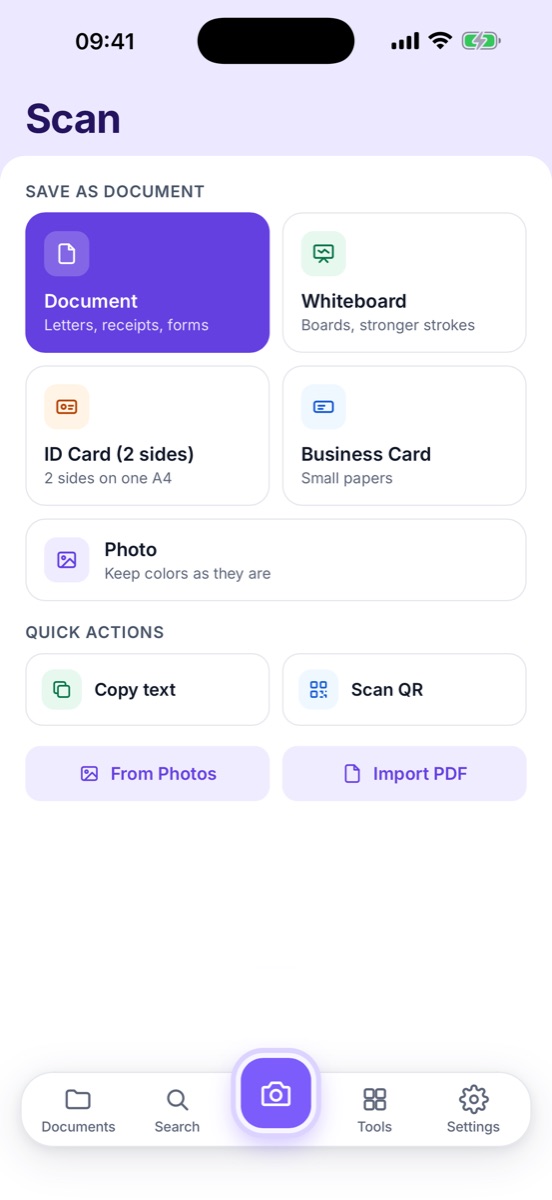
A photo of a card on a kitchen table looks careless and is hard to read. Use the ID Card (2 sides) mode: scan the front, turn the card over, scan the back. Both sides end up on one A4 page at real size — exactly what an agent prints or files.
If you send copies of your ID to several agencies, keep one clean master copy in a folder called Apartment hunt so you are not scanning it again every time.
Step 2 — One PDF, in the order they asked
Agents juggle dozens of applications. Five separate attachments called IMG_4821.jpg are easy to lose; one PDF named Alex Rivera — Rental application.pdf isn't.
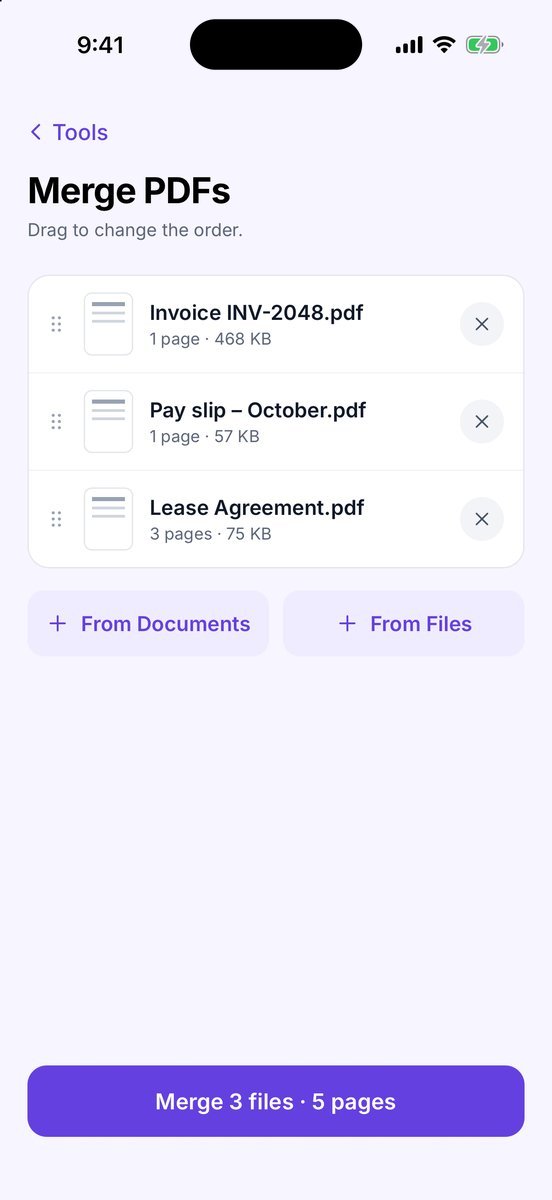
- Scan paper pay stubs; import the ones you got by email or from your payroll portal as PDFs.
- Use Merge PDFs and drag the files into the order on the agent's checklist.
- Drop blank backs and duplicate pages with Reorder & delete pages.
Step 3 — Hide what they don't need
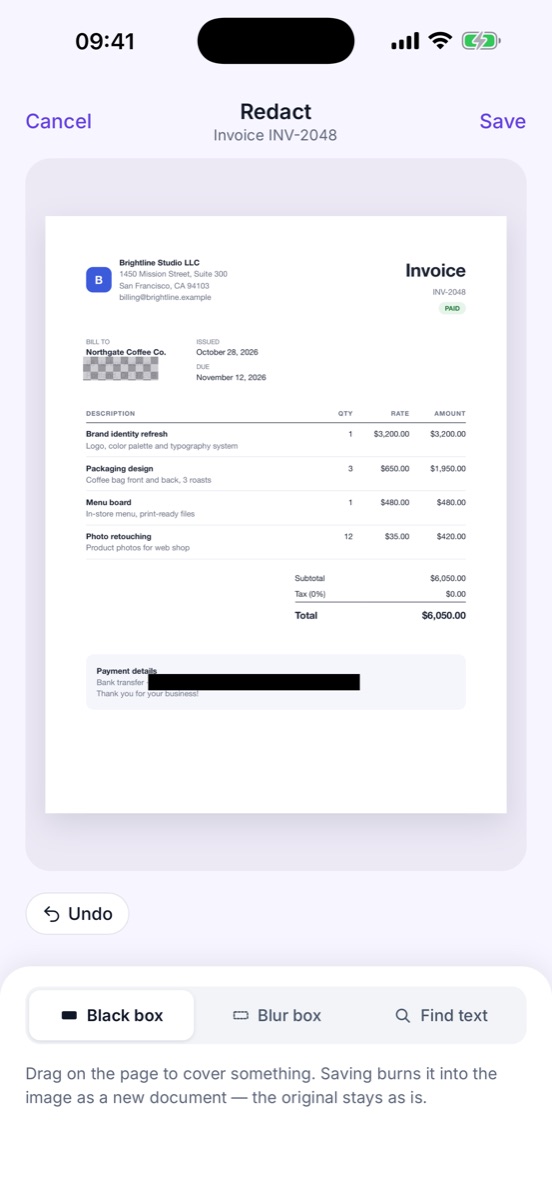
A bank statement shows far more than a landlord needs: full account numbers, every transaction, sometimes other people's names. Before you send it, use Redact to cover the account number and anything unrelated. The cover is burned into a new copy, and the hidden text is removed too, so it cannot be lifted out of the PDF. Your original statement stays untouched in your library.
Step 4 — Make it fit the upload box
Online portals often refuse files over a few megabytes, and phone scans are big. When you share the PDF, choose File size → Under 2 MB (or whatever the portal says). Zency Scan shows the final file size, so you can check it against the limit before you upload. For a PDF you received from someone else, Compress PDF shows the size before and after.
Step 5 — Sign the lease without a printer
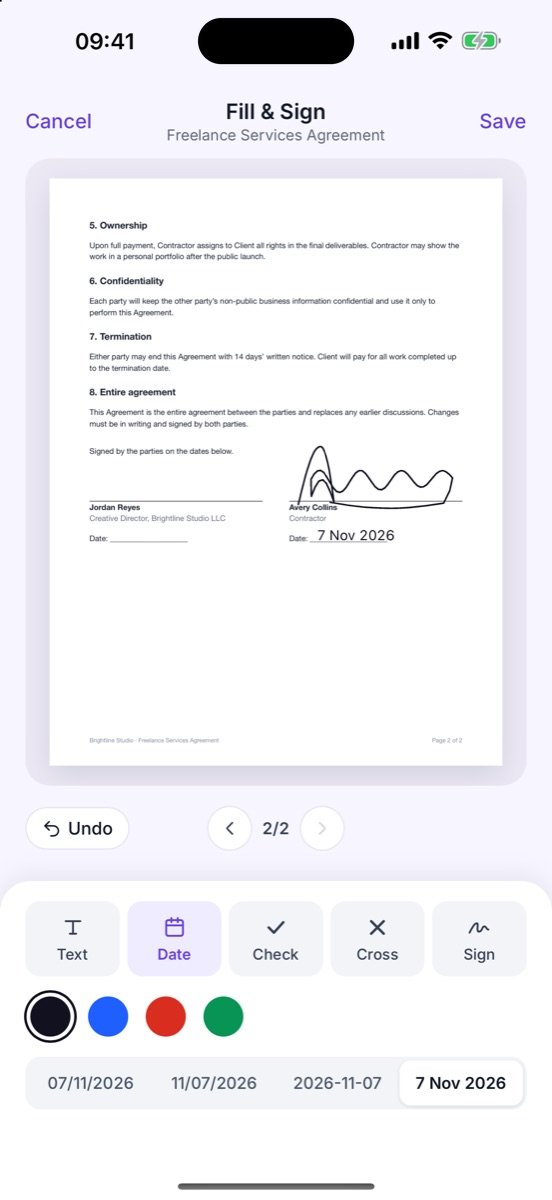
When the lease arrives, open it with Fill & Sign: type your name, add the date, tick the boxes and draw your signature once — it is saved for the next page and the next document. Saving creates a separate (signed) copy, so you always keep the original next to what you sent back.
Common mistakes
- Sending photos instead of scans. Shadows and angled pages make you look less organized than you are.
- Over-sharing. Full statements with every transaction are rarely needed.
- One file per page. Merge everything into one PDF, named with your name.
- Losing track of what you sent. Keep the exact PDF you sent in your Apartment hunt folder.
Common questions
Should I send my full bank statement to a landlord?
Send what they ask for. Many landlords only need to see your name, the dates and regular income or a balance. Covering the account number (except the last digits) and unrelated transactions is common — ask the agent if you are unsure what they need.
What format do rental portals accept?
PDF is the safest choice. Portals often limit each upload to a few megabytes, so export with a size cap such as Under 2 MB.
Is a signature drawn on my phone valid on a lease?
For many everyday rental agreements, landlords accept a handwritten-style e-signature. Rules differ by country and landlord, so check with the agent if the lease asks for a specific signing method.
- Choose a scan mode — Document, Whiteboard, ID Card, Business Card and Photo.
- Merge PDFs — Combine several PDFs or scans into one file.
- Redact — Black out or blur account numbers, addresses and IDs.
- Share & export — Send as PDF, JPG or Word; set a target size and paper for PDF and JPG, or add a password.
- Fill & Sign — Add text, dates, check marks and your signature.